
Audit Overview
Your store's untapped revenue potential — and how to unlock it
Why We Created This Audit
We analyzed https://www.drsquatch.com the same way we've audited 350+ e-commerce stores — looking for the specific gaps between your current experience and what top-performing Beauty & Personal Care stores deliver. Every finding in this report is a revenue opportunity backed by industry data and competitive benchmarks.
What We Analyzed
- UX & Conversion Design15 findings
- Technology & App StackPlatform + 8 apps
- Industry BenchmarksBeauty & Personal Care
- Competitors Benchmarked4 brands
Pages Analyzed
- Homepage3 findings
- Collection Pages3 findings
- Product Pages (PDP)5 findings
- Cart & Checkout4 findings
 This audit was prepared by Growisto — a CRO-led Website development team behind 167% conversion growth for Atomberg, 46% CR lift for TyresNmore, and 350+ e-commerce projects.
UX & Conversion Findings
Page-by-page analysis with visual comparisons against top Beauty & Personal Care stores
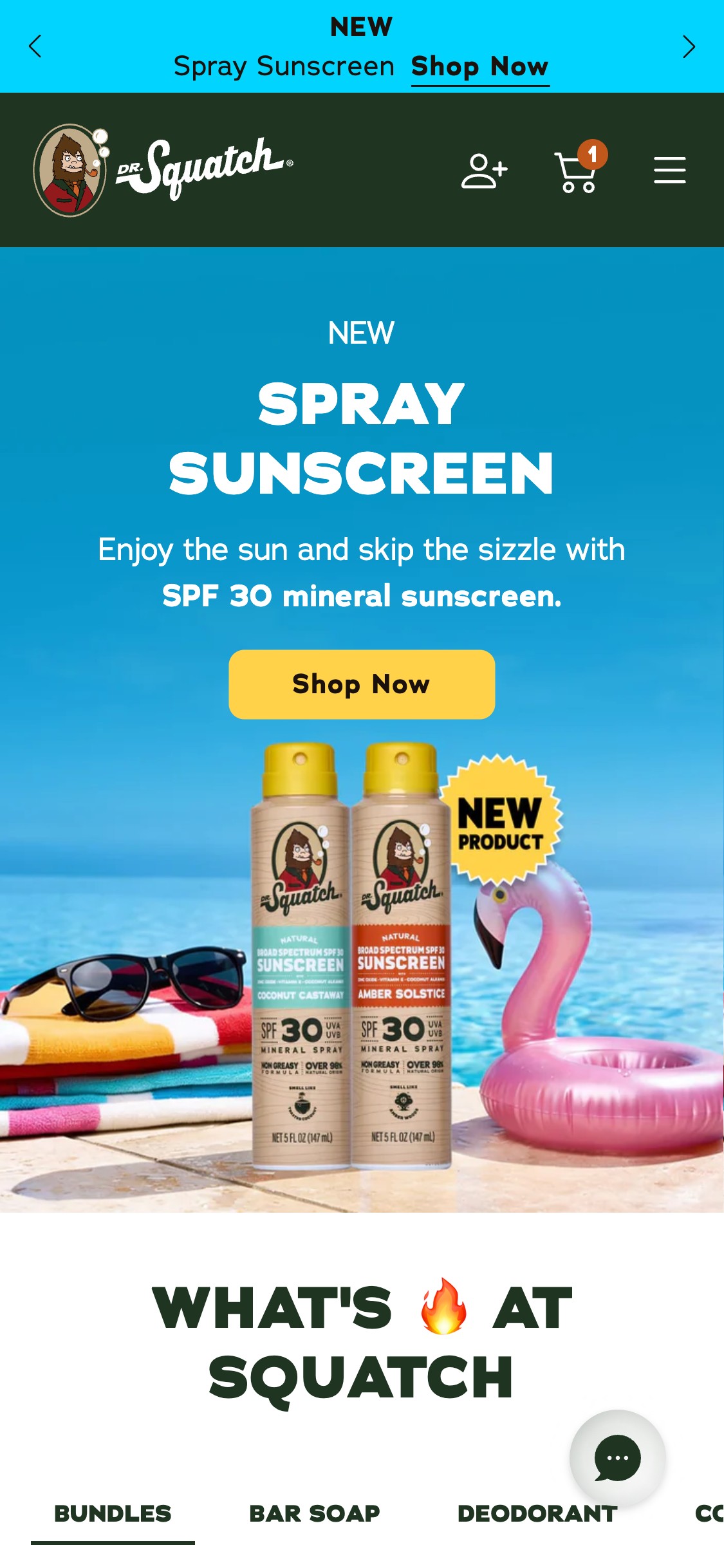
- The mobile header contains only a logo, account icon, cart icon, and hamburger menu — no search icon or search bar is visible
- Opening the hamburger menu reveals category links and subscription/rewards navigation, but still no search field anywhere in the nav
- With 100+ SKUs across bar soap, deodorant, hair care, cologne, and shave categories, users who know what they want (e.g. 'pine tar soap') have no way to navigate directly
- US beauty benchmark: search is present in 9/10 top men's grooming mobile headers — it is the primary navigation tool for repeat visitors
- Add a search icon (magnifying glass) to the mobile header next to the cart icon — tapping it should expand an overlay search with autocomplete suggestions
- Implement predictive search with product thumbnails, scent names, and direct PDP links — this converts search intent to purchase in a single tap
- Prioritize top-searched scents (Pine Tar, Wood Barrel Bourbon, Cedar Citrus) as featured suggestions before the user types anything
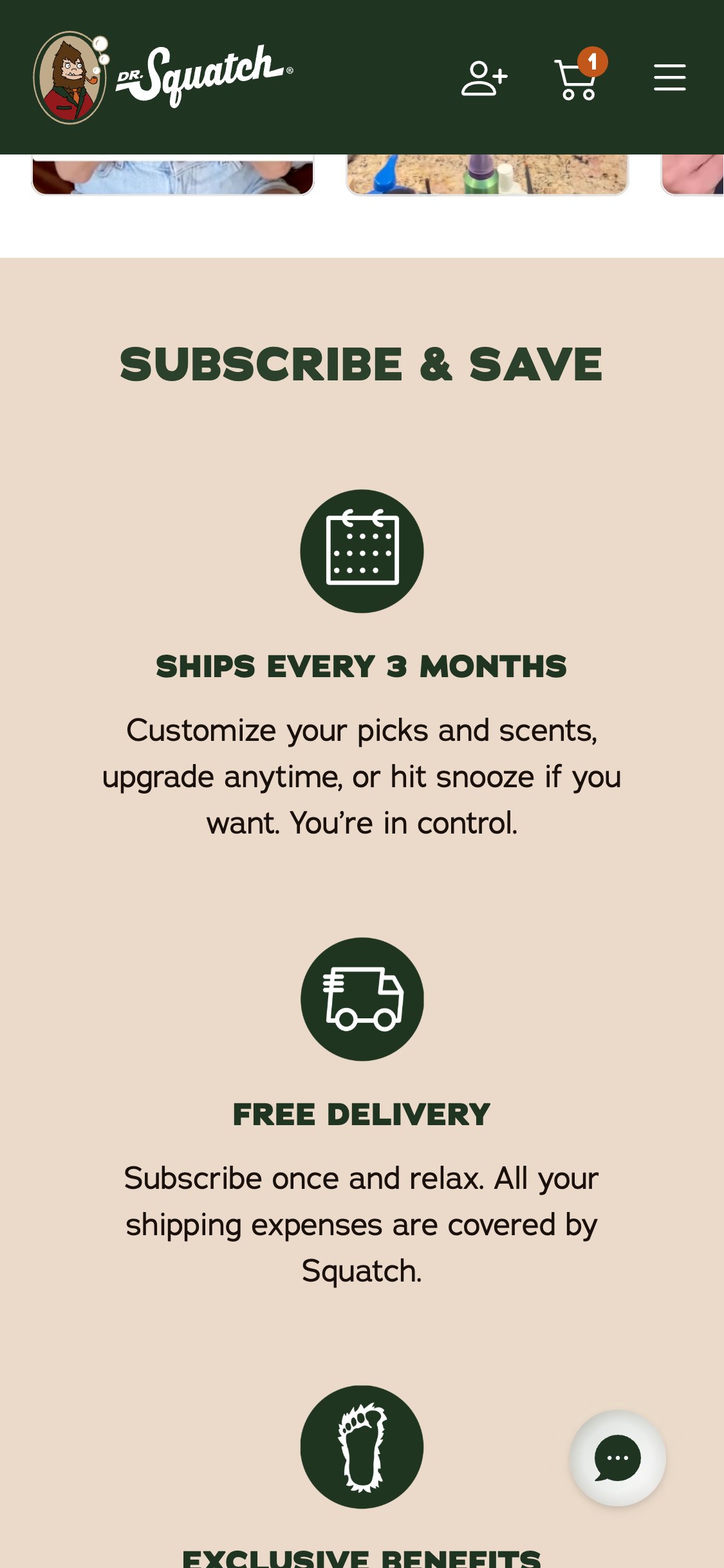
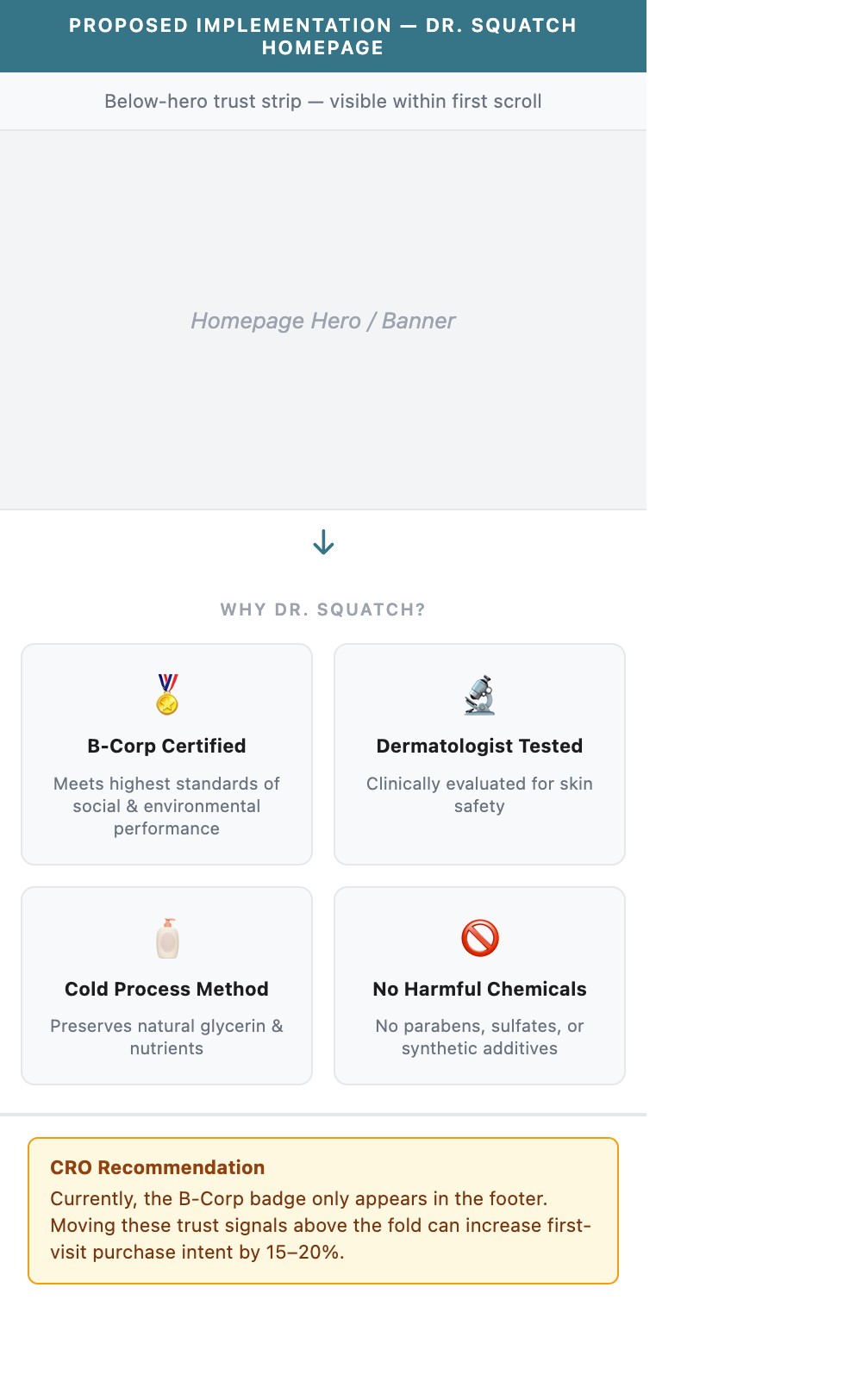
- The homepage presents product carousels and scent family navigation within the first 2 scrolls — no trust/credentials icon bar is visible
- The Certified B Corporation badge appears only in the footer — inaccessible without scrolling the entire page
- Claims like 'No Harmful Ingredients', 'Dermatologist Tested', 'Cold Process', 'Sustainably Sourced' exist as text in a thin marquee strip below the ATC on the PDP only
- Benchmark (9/10 stores): top beauty brands display 4–6 trust/credential icons (Natural, Cruelty-Free, Dermatologist Tested) as an early-scroll horizontal icon bar
- Add a horizontal trust strip immediately below the homepage hero — include 4–6 icons: B-Corp Certified, Dermatologist Tested, Cold Process, No Harmful Chemicals, Made in USA, Free Returns
- Make the trust strip scrollable on mobile (horizontal swipe) if more than 4 icons, or display exactly 4 in a 2×2 grid for maximum legibility
- Consider making this strip sticky below the announcement bar on mobile so credentials are visible throughout the browsing session
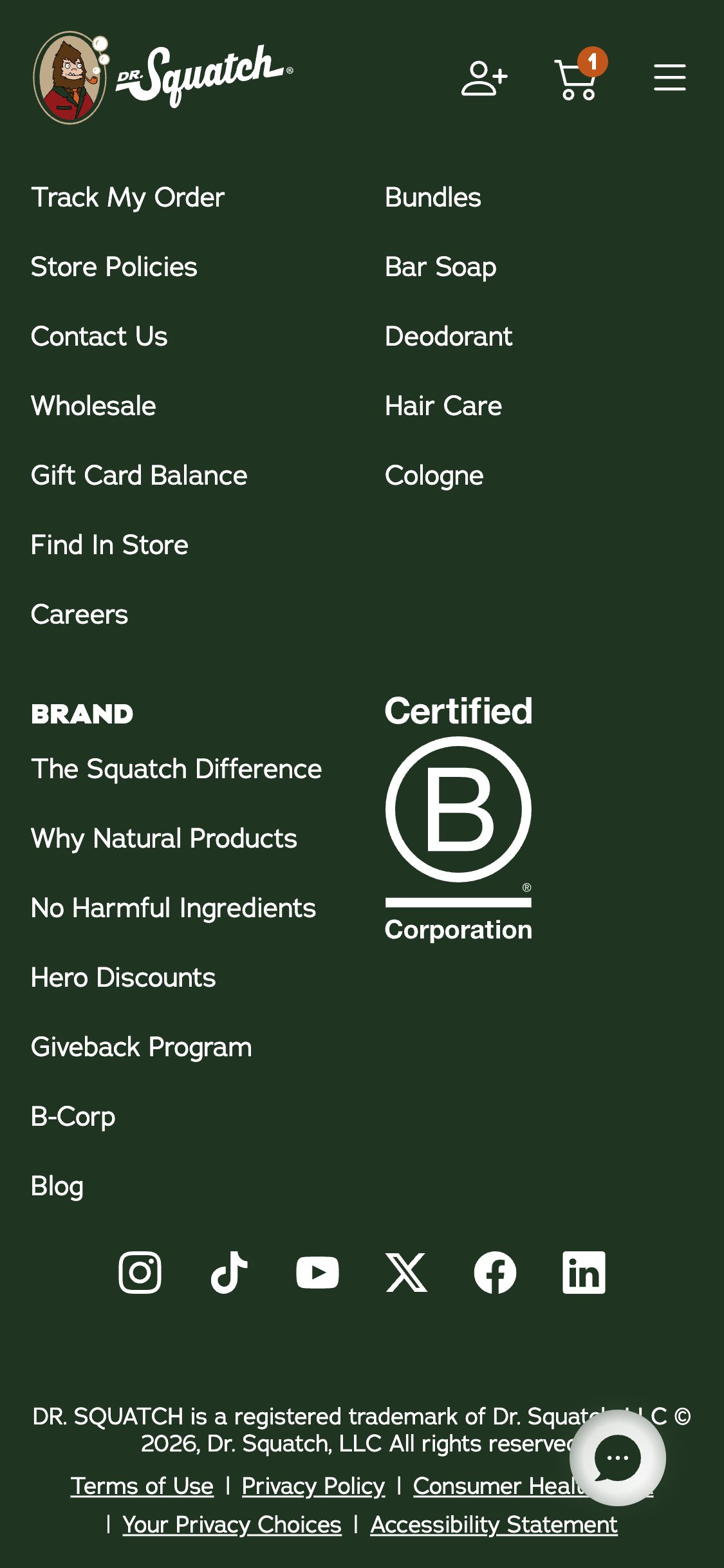
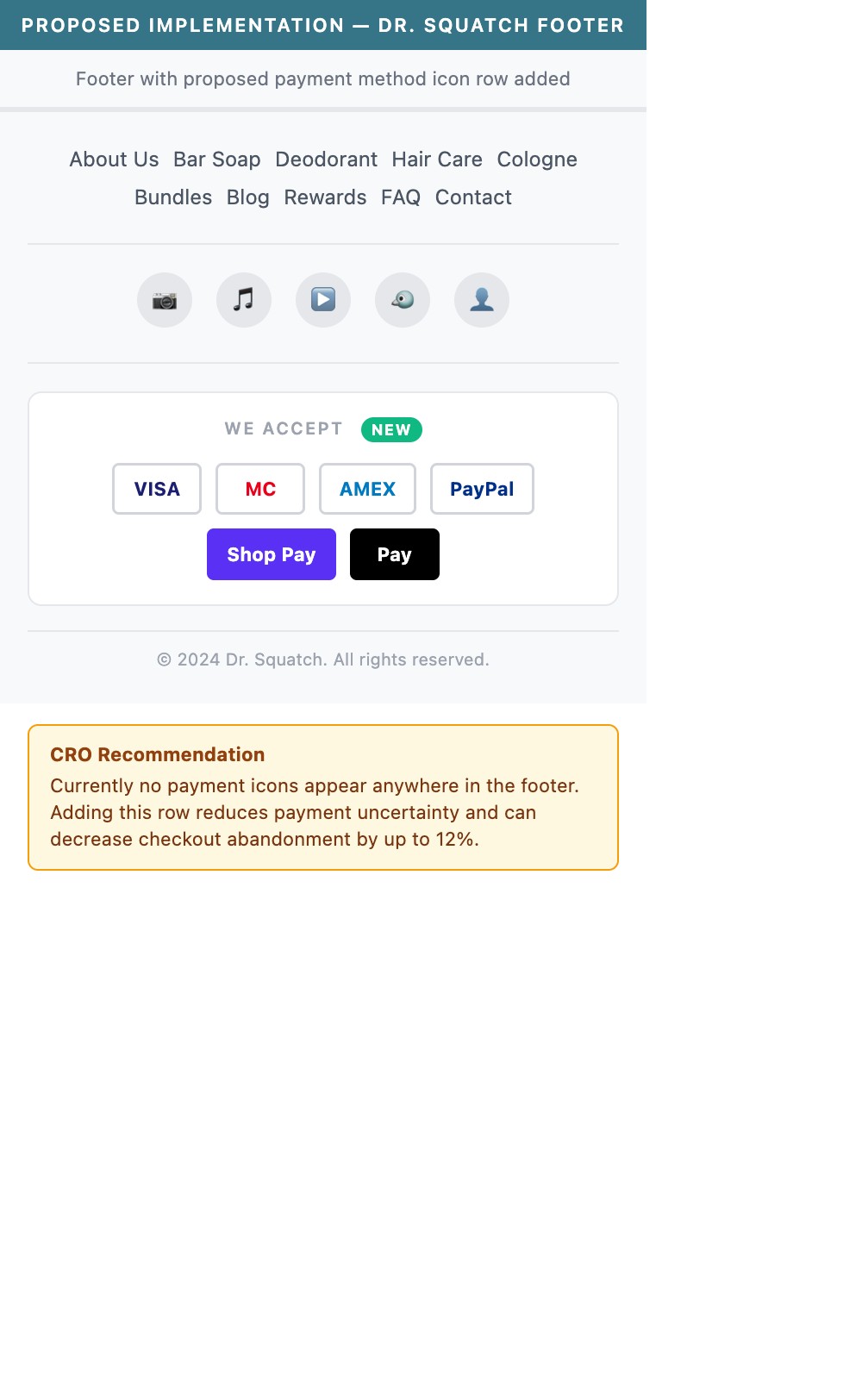
- The footer contains navigation links, social media icons (Instagram, TikTok, YouTube, X, Facebook, LinkedIn), a B-Corp badge, and an email signup — but zero payment method icons
- No Visa, Mastercard, Amex, PayPal, Shop Pay, Apple Pay, or Google Pay icons appear anywhere in the footer
- US beauty benchmark: 9/10 top stores display a row of payment icons in the footer as a standard trust signal
- First-time visitors who are unsure whether their preferred payment method is accepted are more likely to abandon before initiating checkout
- Add a row of accepted payment method icons in the footer — at minimum: Visa, Mastercard, Amex, PayPal, Shop Pay, and Apple Pay
- Place the icon row above the copyright line, using grayscale or brand-colored versions consistent with the dark green footer background
- Since Shop Pay Installments is referenced in a navigation link, include the Shop Pay Installments badge prominently to reinforce the BNPL option
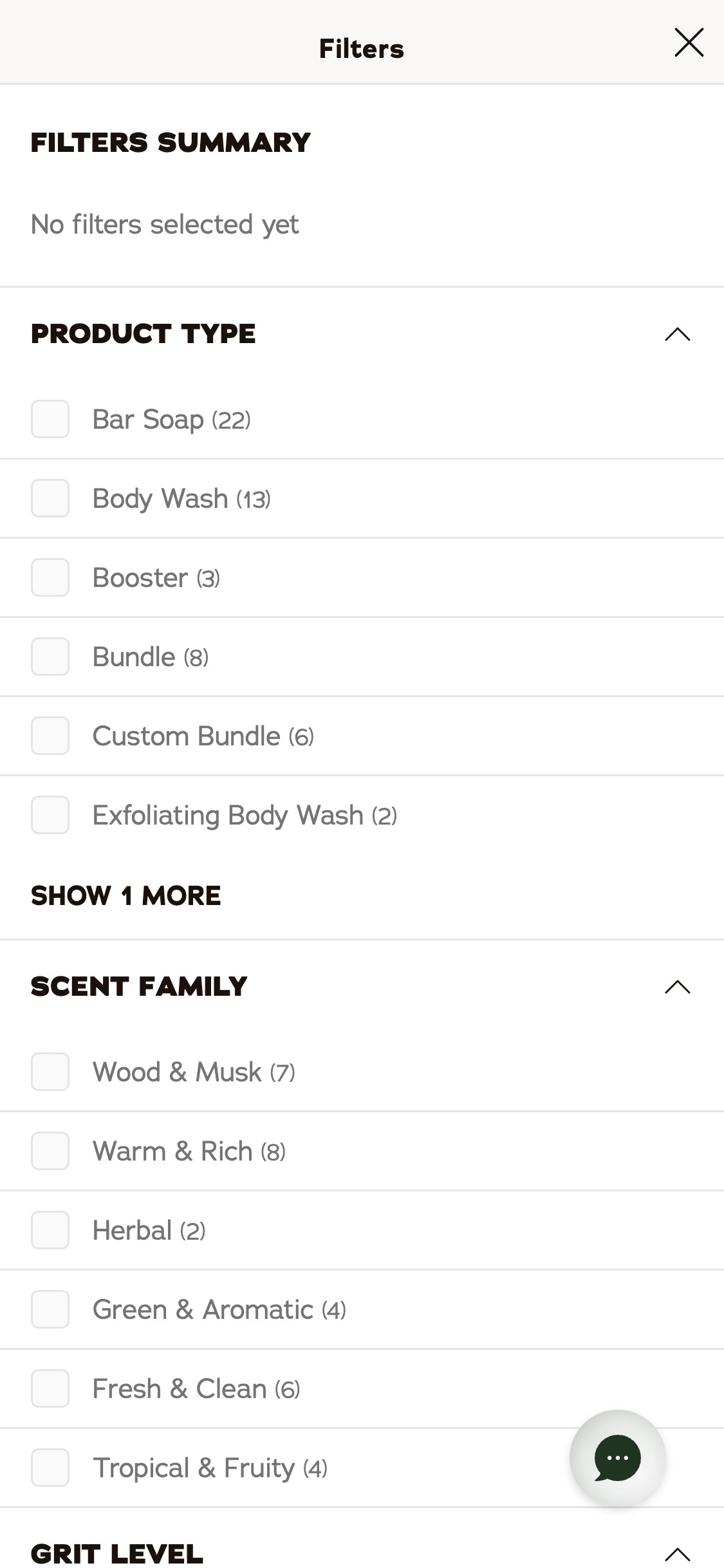
- The filter drawer on the bar soap collection offers three filter dimensions: Product Type, Scent Family, and Grit Level — no price range slider or min/max price input
- Products range from $7 (individual bar) to $52+ (bundles) — a significant price spread that budget-conscious first-time visitors would want to filter
- Price filtering is the #1 most-used filter on beauty/grooming collection pages according to US benchmark data
- Without a price filter, first-time visitors evaluating a starter purchase must manually browse all cards to find options in their budget
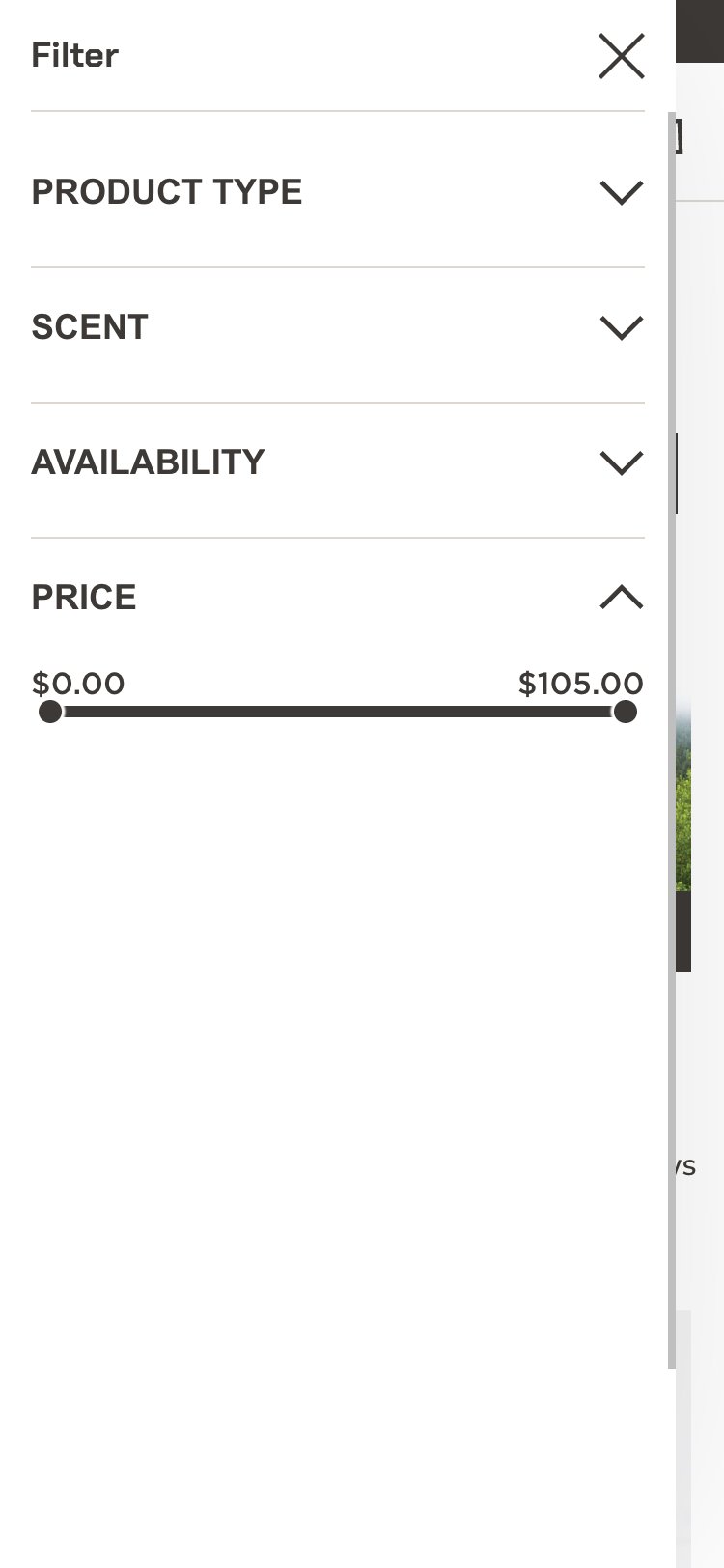
- Add a Price Range slider as the first filter option in the filter drawer — range: $5 to $55+ with preset brackets ($5–$15, $15–$30, $30+)
- Pre-populate the price range based on the current collection context (e.g., bar soap collection naturally floors at $7)
- Show the active filter count as a badge on the filter button so users know filters are applied as they browse
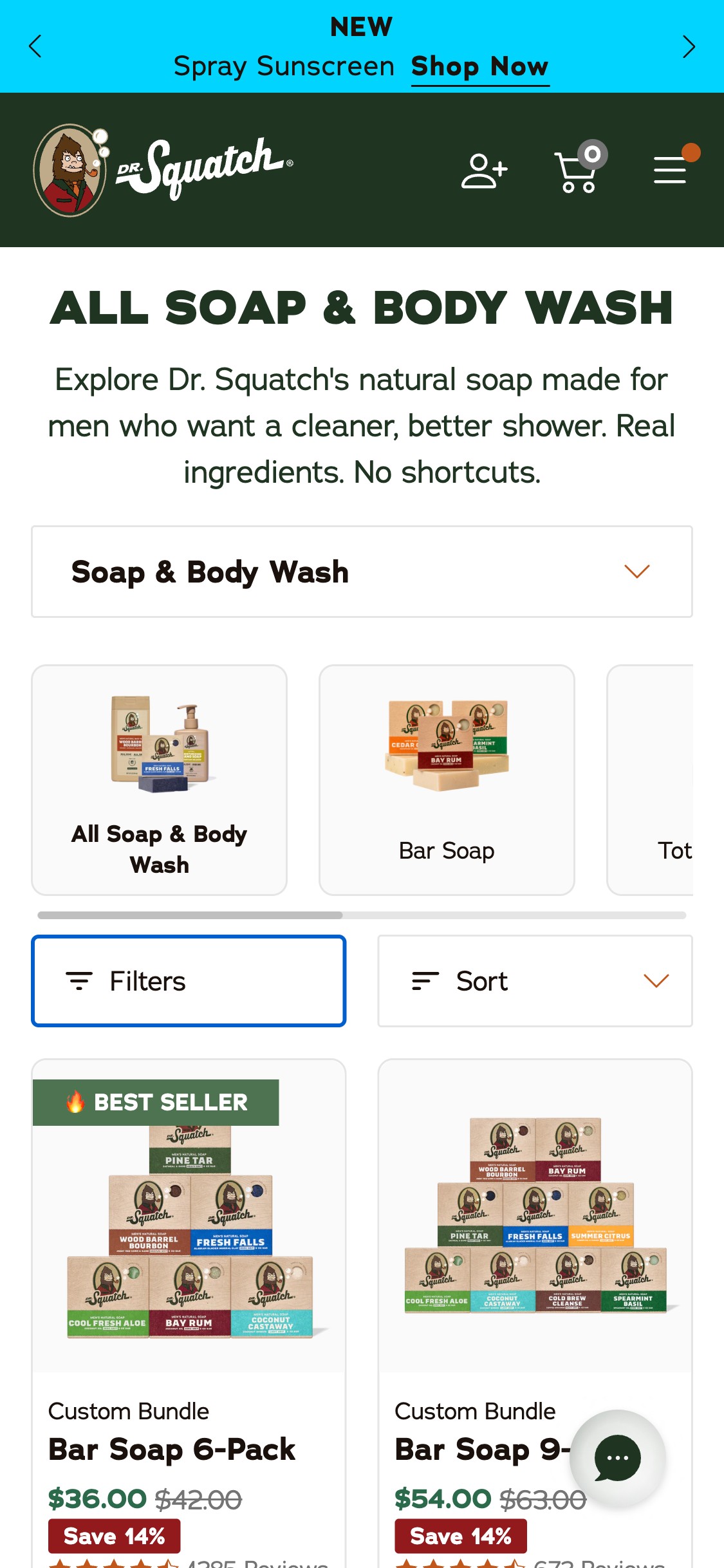
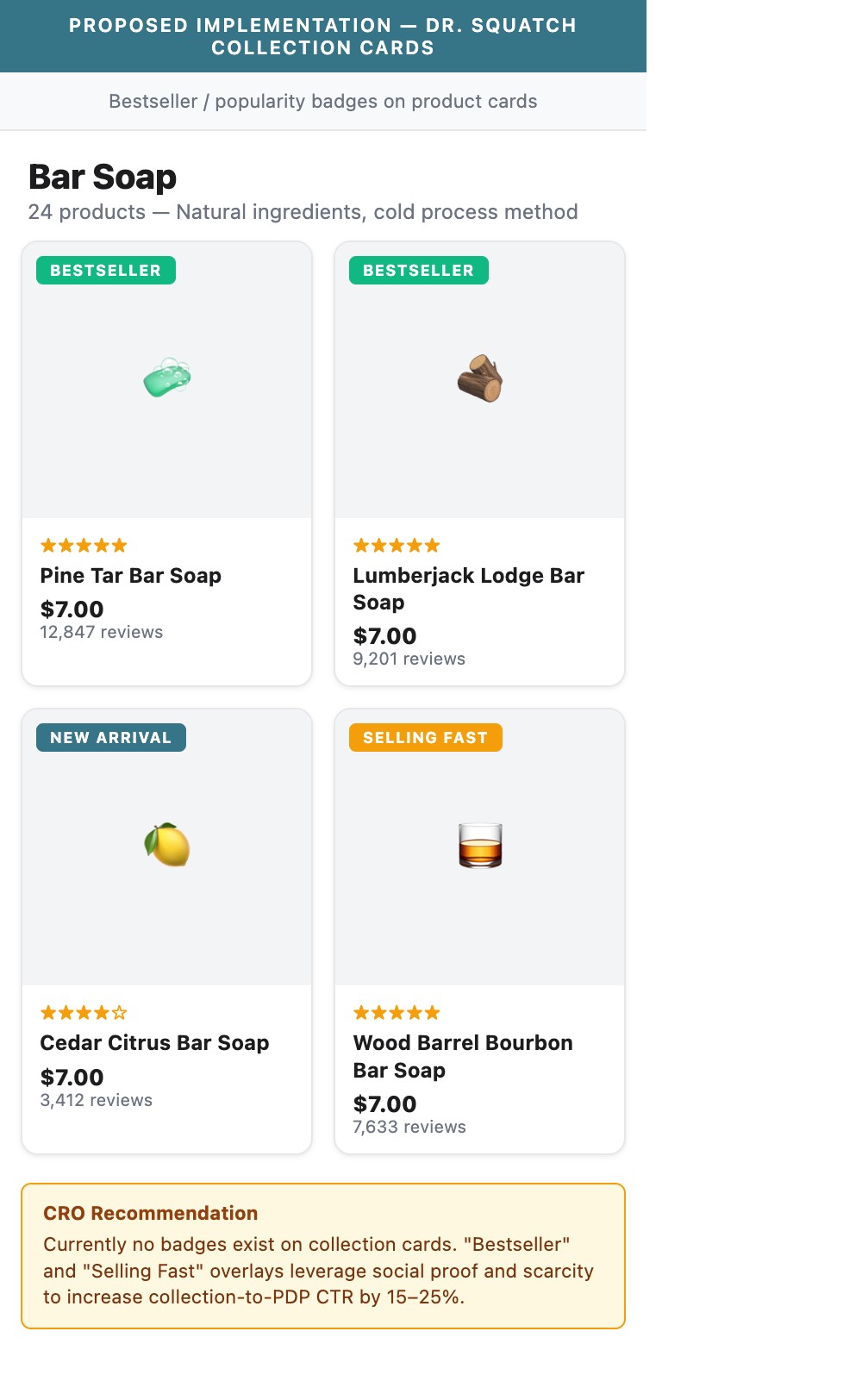
- Product cards on the bar soap collection show product image, name, price with save badge (e.g. 'SAVE 14%'), and star rating — but no 'BESTSELLER', 'FAN FAVORITE', or 'MOST POPULAR' label
- With 20+ bar soap SKUs on a single collection page, first-time visitors have no signal about which products are most trusted by other buyers
- The 'SAVE X%' promotional badge is present but communicates only discount, not popularity or social proof
- Growing pattern (5/10 benchmark stores): brands like Blu Atlas and Beardbrand use bestseller badges prominently on collection cards to guide first-time visitors
- Add 'BESTSELLER' overlay badges to the top 3–5 selling products in each collection — use a consistent green or amber ribbon in the top-left of the product card image
- Consider a secondary signal like 'X,XXX Reviews' displayed as a pill badge below the product name to reinforce social proof at the browsing stage
- Rotate 'NEW!' badges (currently used) alongside 'BESTSELLER' so both novelty and popularity are signaled simultaneously for different visitor intents
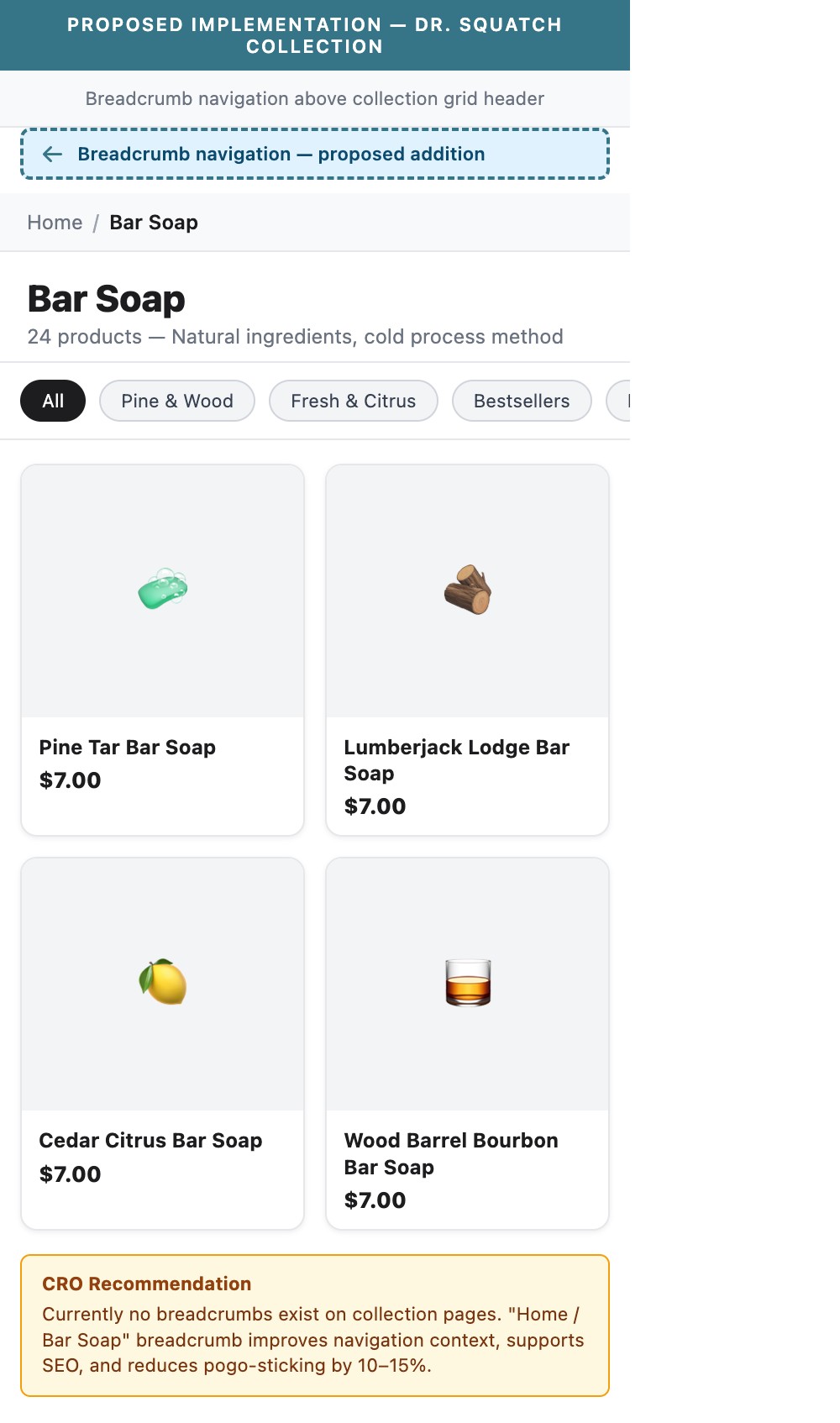
- The bar soap collection page opens directly into a product grid with a filter/sort bar — no breadcrumb (Home > Bar Soap) is shown above the grid
- Mobile users who deep-link into a collection from social or email ads have no contextual path displayed
- Without breadcrumbs, the only back navigation is the browser's back button — which on mobile often closes the tab or takes users out of the flow
- Standard UX pattern for collections: Home > Category > Sub-category helps orient users and reduces pogo-sticking back to homepage
- Add a single-line breadcrumb above the collection header: 'Home / Bar Soap' — styled in 12px muted text, tappable, with sufficient tap targets (44px minimum)
- For sub-collections (e.g. 'Total Moisture Bar Soap'), add a 2-level breadcrumb: 'Home / Bar Soap / Total Moisture'
- Breadcrumbs also improve Google search result display via structured data — a dual win for SEO and UX
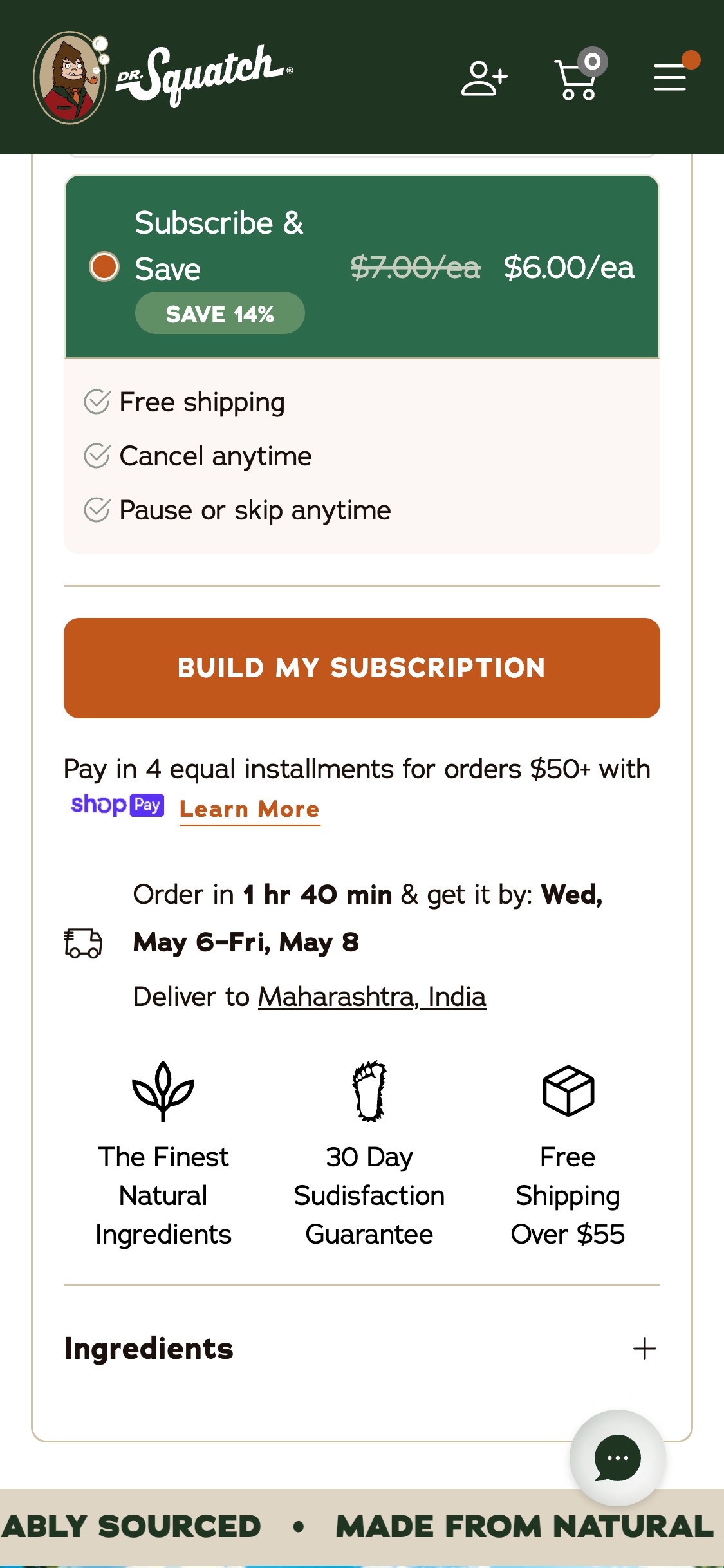
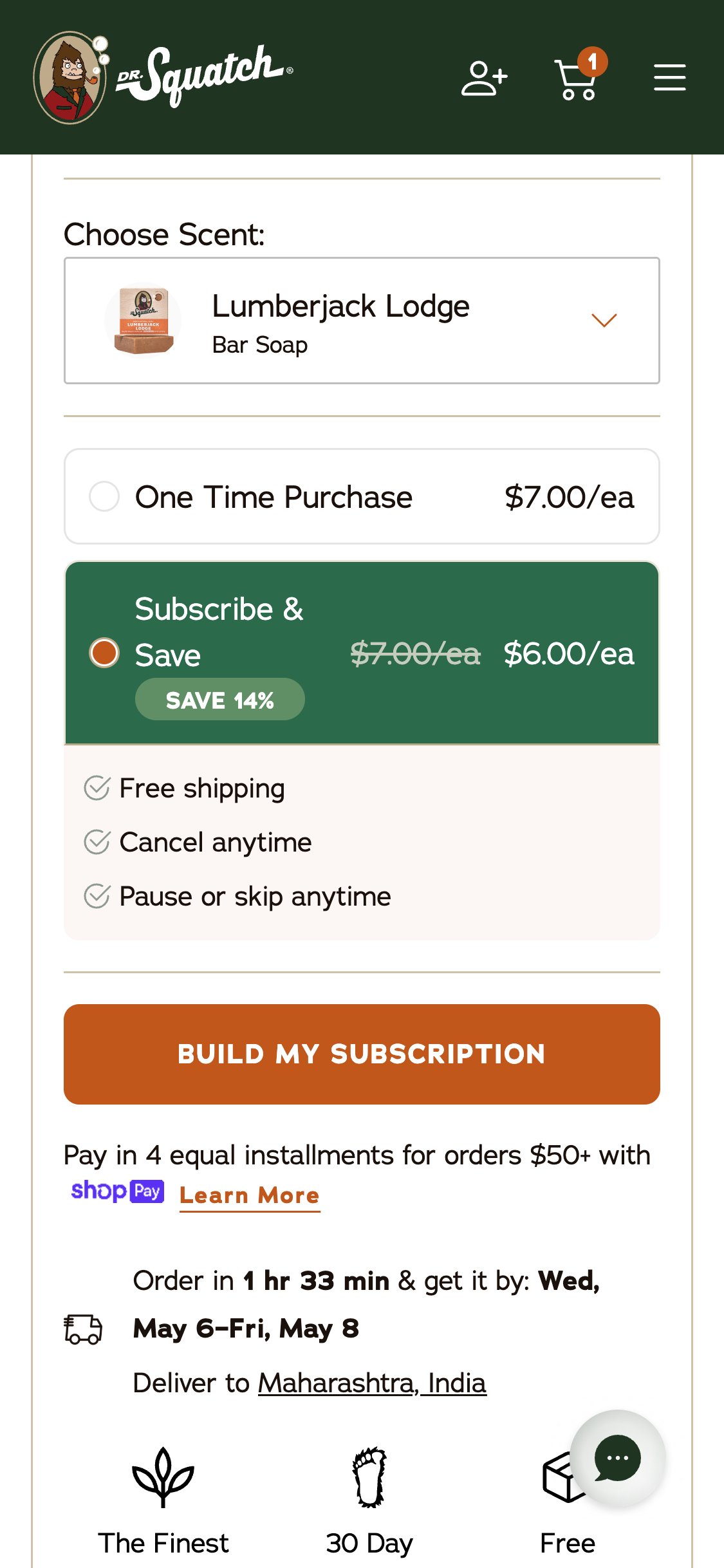
- By default, the Subscribe & Save radio is pre-checked — the only visible CTA is 'BUILD MY SUBSCRIPTION', which redirects to a multi-step subscription flow at /pages/subscription-flow
- First-time visitors who want to try one bar for $7 must actively discover and click the 'One Time Purchase' radio before an Add to Cart button appears
- This creates a two-step friction point: (1) notice the radio buttons, (2) select one-time, then (3) the quantity selector appears and ATC becomes available
- US men's grooming benchmark: brands like Beardbrand show a clear one-time vs subscribe toggle with both CTAs simultaneously visible — 'Add to Cart' for one-time and 'Subscribe & Save' as secondary
- Show both CTAs simultaneously above the fold: primary 'Add to Cart' button for one-time purchase and a secondary 'Subscribe & Save 14%' button — let the visitor choose without radio button friction
- If retaining the radio/toggle paradigm, default to 'One Time Purchase' for first-time visitors (detect via cookie/session) and present Subscribe as the upsell
- Add micro-copy near the subscription CTA explaining what 'Build My Subscription' means — many first-time visitors may abandon rather than commit to a multi-step subscription flow
- When the user scrolls past the ATC zone on mobile PDP, no sticky bar appears at the bottom of the screen — the only fixed element is the Gorgias chat button
- The PDP has substantial content below the fold: a marquee strip, feature section, Doc's Notes, FAQ accordion, scent quiz CTA, and reviews
- Users reading reviews or FAQ content must scroll all the way back to the top to initiate purchase — adding significant friction to the conversion path
- US beauty mobile benchmark: sticky ATC bars are present on 7/10 top stores and are considered baseline UX for mobile PDPs
- Implement a sticky ATC bar that appears after the inline ATC scrolls out of view — the bar should contain: product name, current price, scent selector (compact), and the CTA button
- For Dr. Squatch's subscription-first setup: the sticky bar should show both 'Subscribe & Save' (primary) and 'One Time — $7' (secondary link) so both paths are accessible
- The sticky bar should disappear when the user scrolls back up to the inline ATC zone to avoid duplication
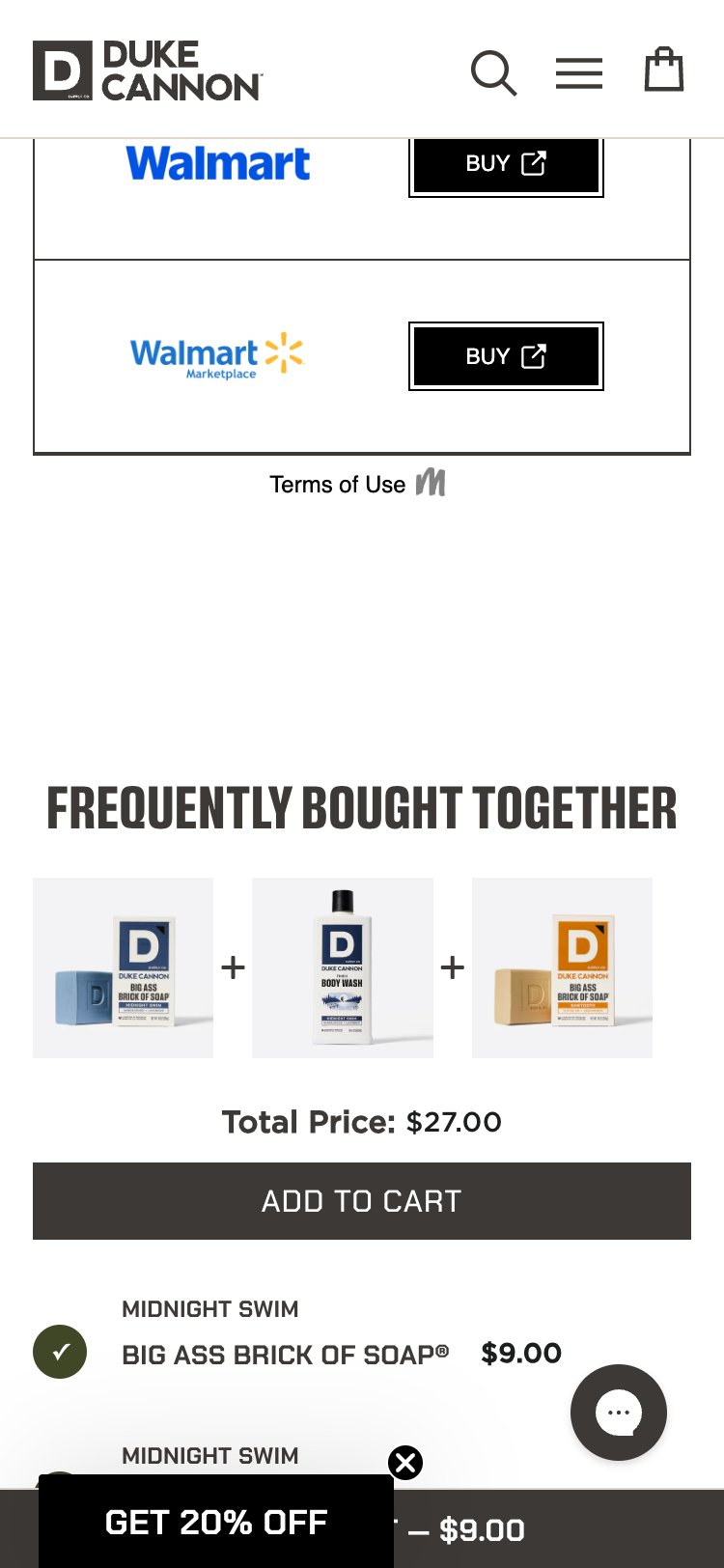
- The Lumberjack Lodge PDP has no related products, routine bundles, or FBT recommendations anywhere on the page
- The page ends with a scent quiz CTA and reviews — no product discovery widget follows the purchase zone
- The cart drawer does surface a 'Keep the Good Smells Rollin' cross-sell, but this only appears after add-to-cart — the PDP itself has no pre-cart cross-sell
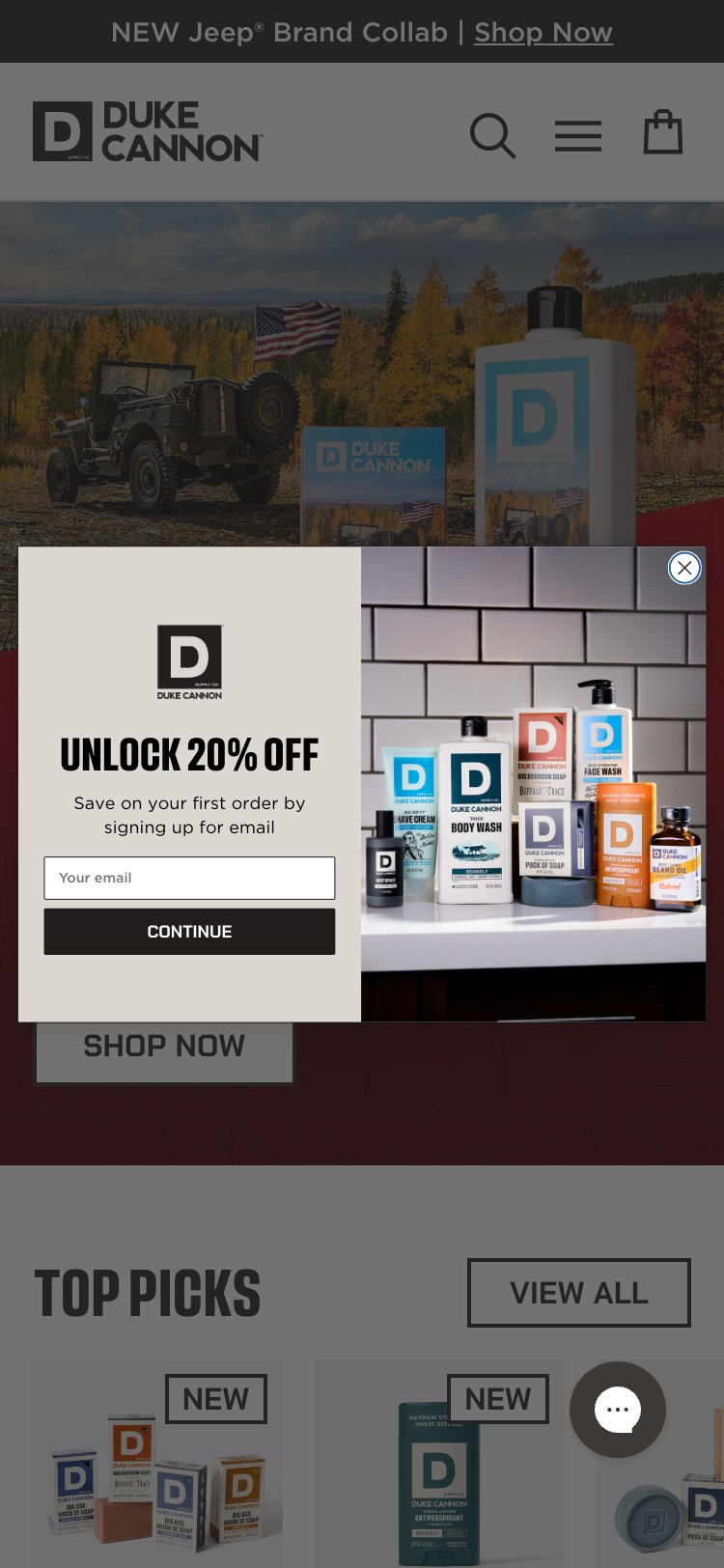
- Men's grooming benchmark: brands like Duke Cannon show 'Complete the Routine' (shave + soap + deodorant) on PDP — a proven AOV lifter at the highest-intent page
- Add a 'Complete Your Routine' section below the PDP reviews — feature 3–4 complementary products (deodorant, shampoo, face wash) with one-click ATC from the PDP
- Use scent-matching logic where possible: a Lumberjack Lodge soap page should recommend Lumberjack Lodge or same-scent deodorant and cologne
- Alternatively, add a 'Frequently Bought Together' widget in the ATC zone itself — showing the soap + deodorant bundle with a combined price and single ATC action
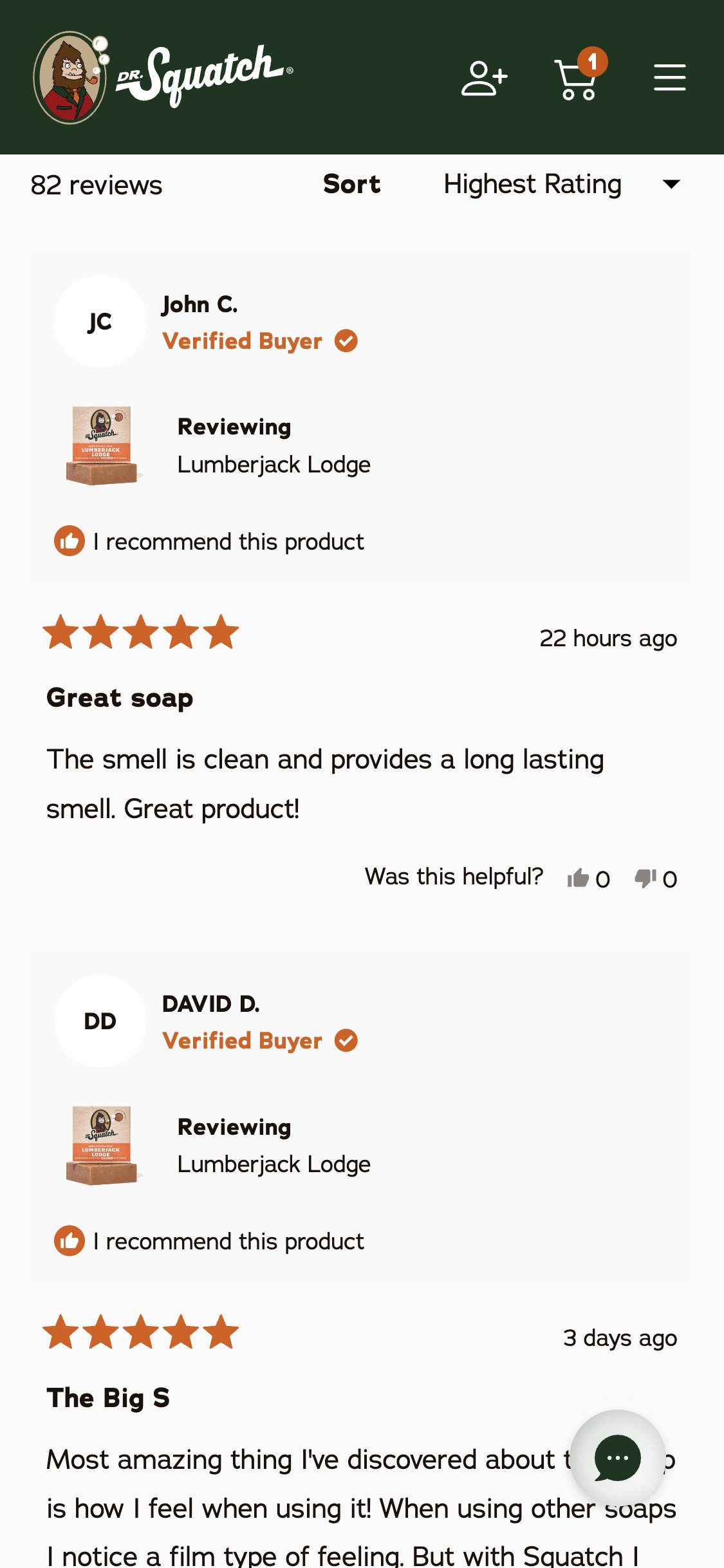
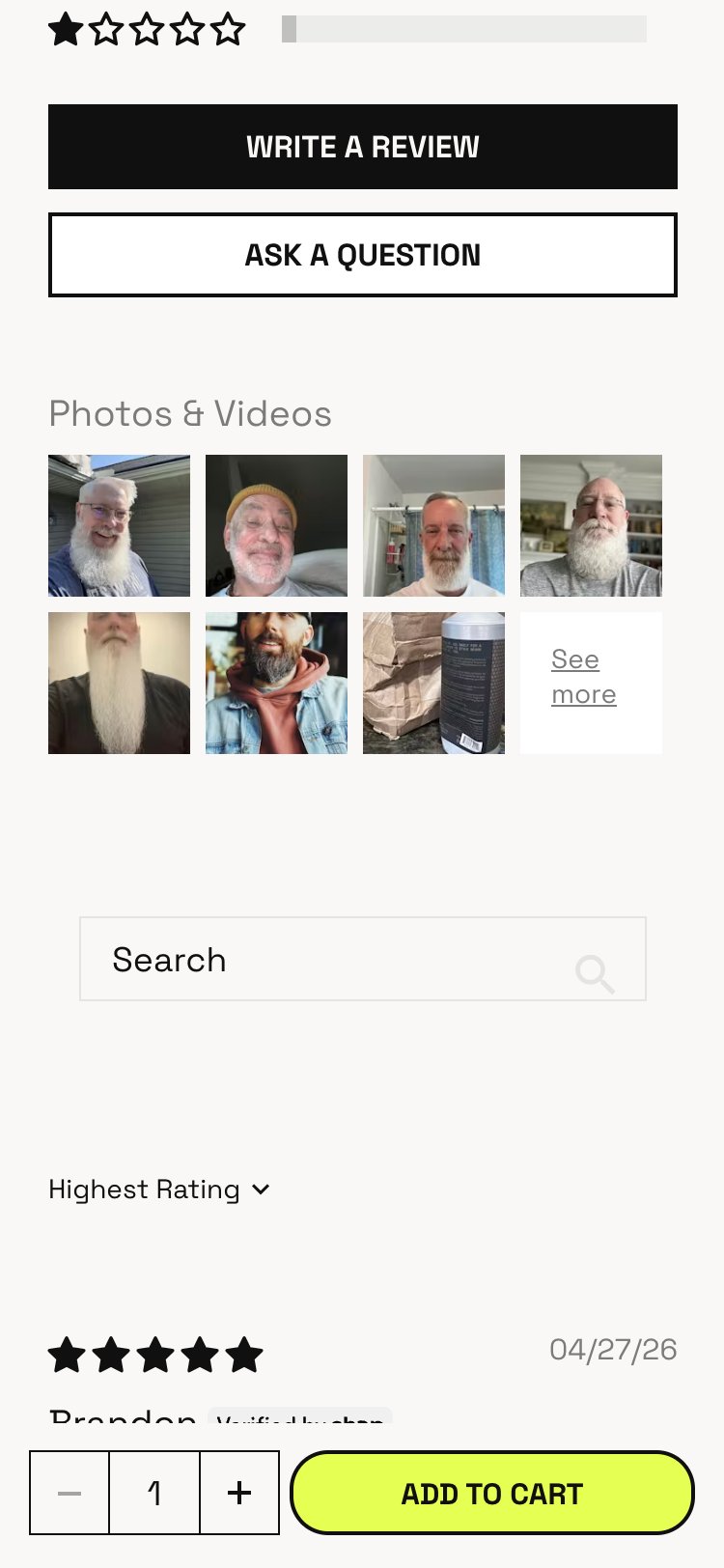
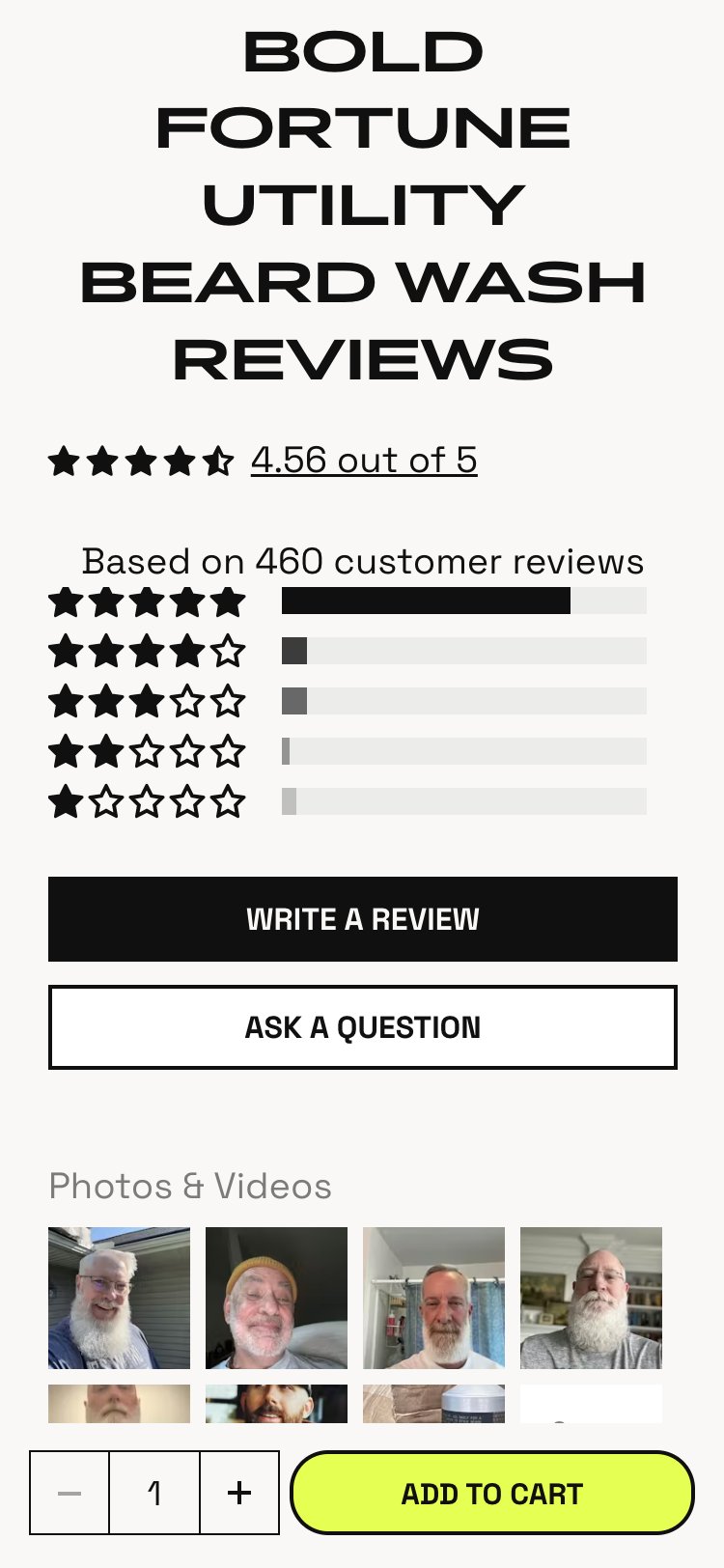
- The Okendo review widget shows text reviews with reviewer initials, star ratings, product thumbnails, and keyword tags — but no customer-submitted photos appear in any review card
- Lumberjack Lodge has 82 reviews with 89% recommendation rate — a significant social proof asset that is not visually leveraged
- For personal care products, customer photos showing real-world usage dramatically increase purchase confidence for first-time buyers
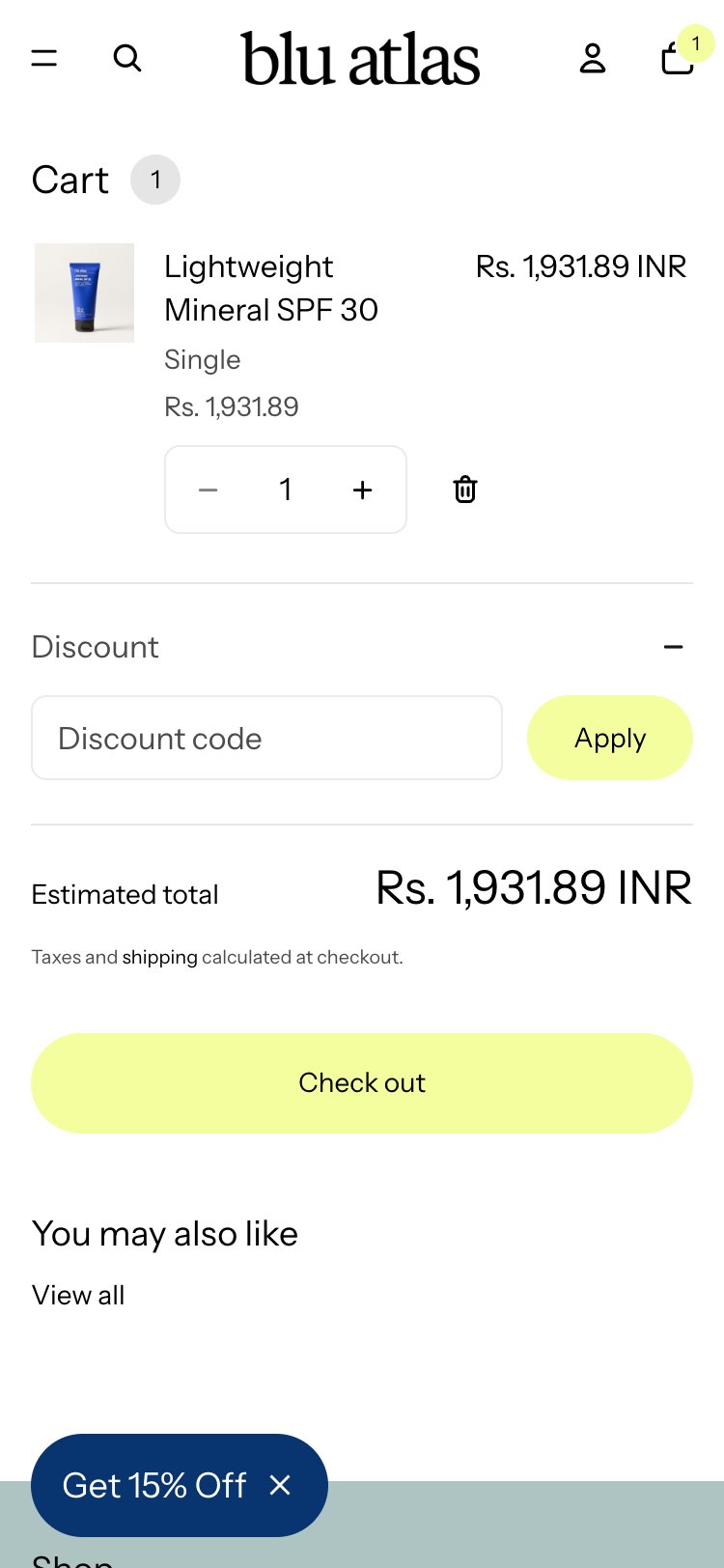
- Differentiator benchmark (3/10 stores): Blu Atlas integrates customer photos in reviews; Dr. Squatch has the brand following (Instagram, TikTok) to power this
- Enable photo review uploads in the Okendo configuration — even 5–10 customer photos per product transforms the social proof quality dramatically
- Add a 'Customer Photos' gallery section above the review cards — display in a 2-column grid on mobile with tap-to-expand
- Incentivize photo submissions via the Loyalty/Rewards program (existing app detected): 'Submit a photo review = earn X Squatch Points'
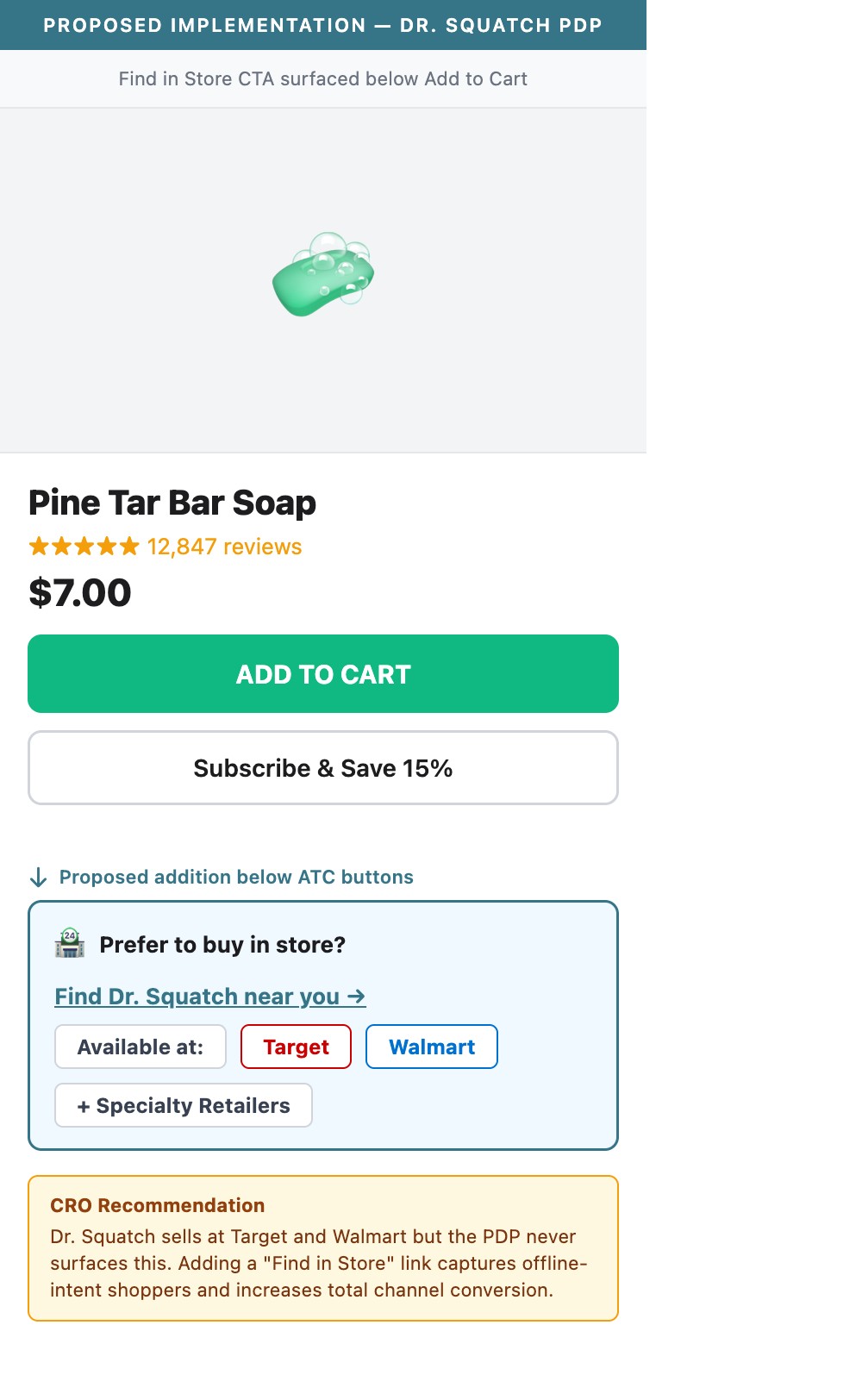
- Dr. Squatch has a dedicated store locator page (/pages/store-locator) and a 'Find In Store' footer link — the brand sells at Target, Walmart, and specialty retailers
- No 'Find in a store near you' CTA or store locator widget appears anywhere on the PDP — visitors who prefer retail purchase have no obvious path
- Visitors arriving from Google search for 'where to buy dr squatch soap' represent high purchase intent — this traffic converts better when the in-store option is presented on the PDP
- Every Man Jack (which also sells in mass retail) surfaces a 'Find at a Retailer' CTA on PDPs — capturing omnichannel intent at the highest-intent page
- Add a 'Find in Store' text link or small CTA below the ATC button on PDP — tapping opens the store locator with geolocation-based results
- For products available at national chains, add 'Available at Target & Walmart' with retailer logos to validate the retail footprint and build brand credibility
- Consider a zip-code lookup widget embedded inline on PDP so users don't leave the page to find a store
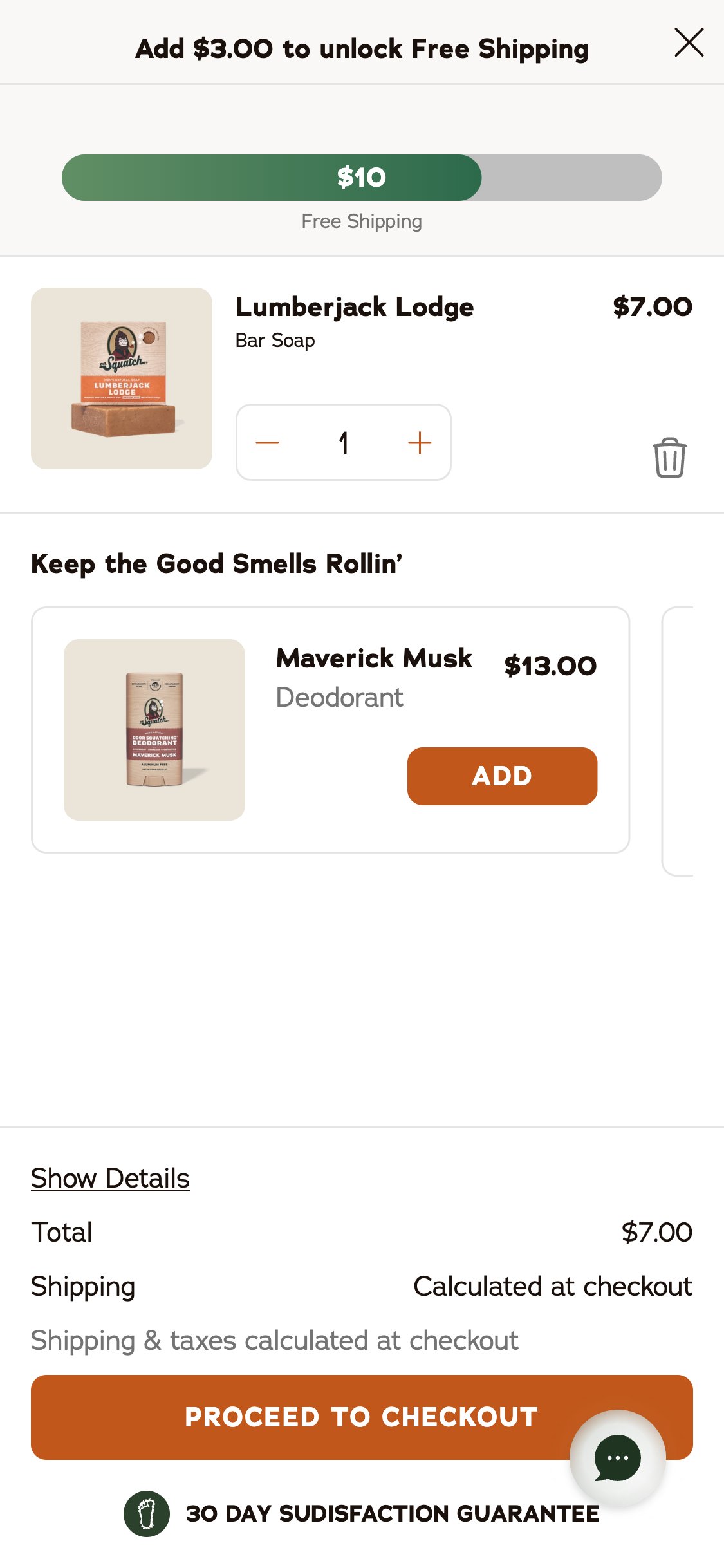
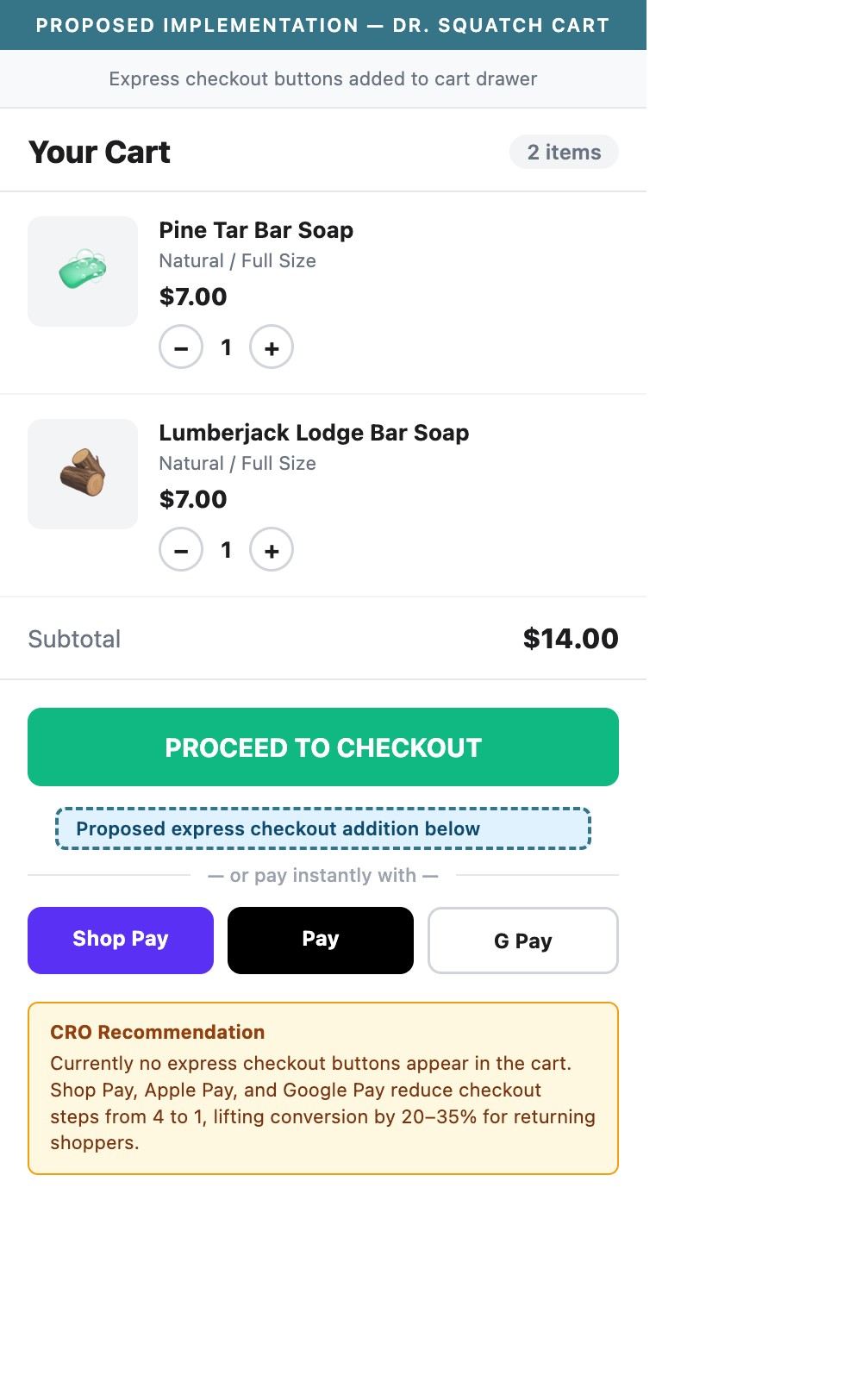
- The cart drawer shows a 'PROCEED TO CHECKOUT' button and a '30 Day Sudisfaction Guarantee' badge — no Shop Pay, Apple Pay, or Google Pay express buttons are displayed
- Shop Pay is referenced on the PDP ('Pay in 4 equal installments for orders $50+ with Shop Pay') but the express checkout button does not appear in the cart drawer
- US mobile benchmark: 85%+ of Dr. Squatch's traffic is mobile — express checkout buttons allow saved-wallet users to bypass the full checkout form entirely
- With cart-to-checkout at p50 of 29.6% for the beauty benchmark, every checkout friction point removed directly impacts this funnel stage
- Add Shop Pay, Apple Pay, and Google Pay dynamic checkout buttons directly in the cart drawer above or below the primary 'Proceed to Checkout' button
- These are native Shopify features — they can be enabled in Settings > Payments > Accelerated Checkouts with minimal development effort
- Style the express buttons with a divider ('— or pay instantly with —') to maintain visual hierarchy between primary and express checkout paths
- The cart drawer checkout zone displays shipping progress bar, item list, cross-sell, Total, Shipping line, and 'PROCEED TO CHECKOUT' button
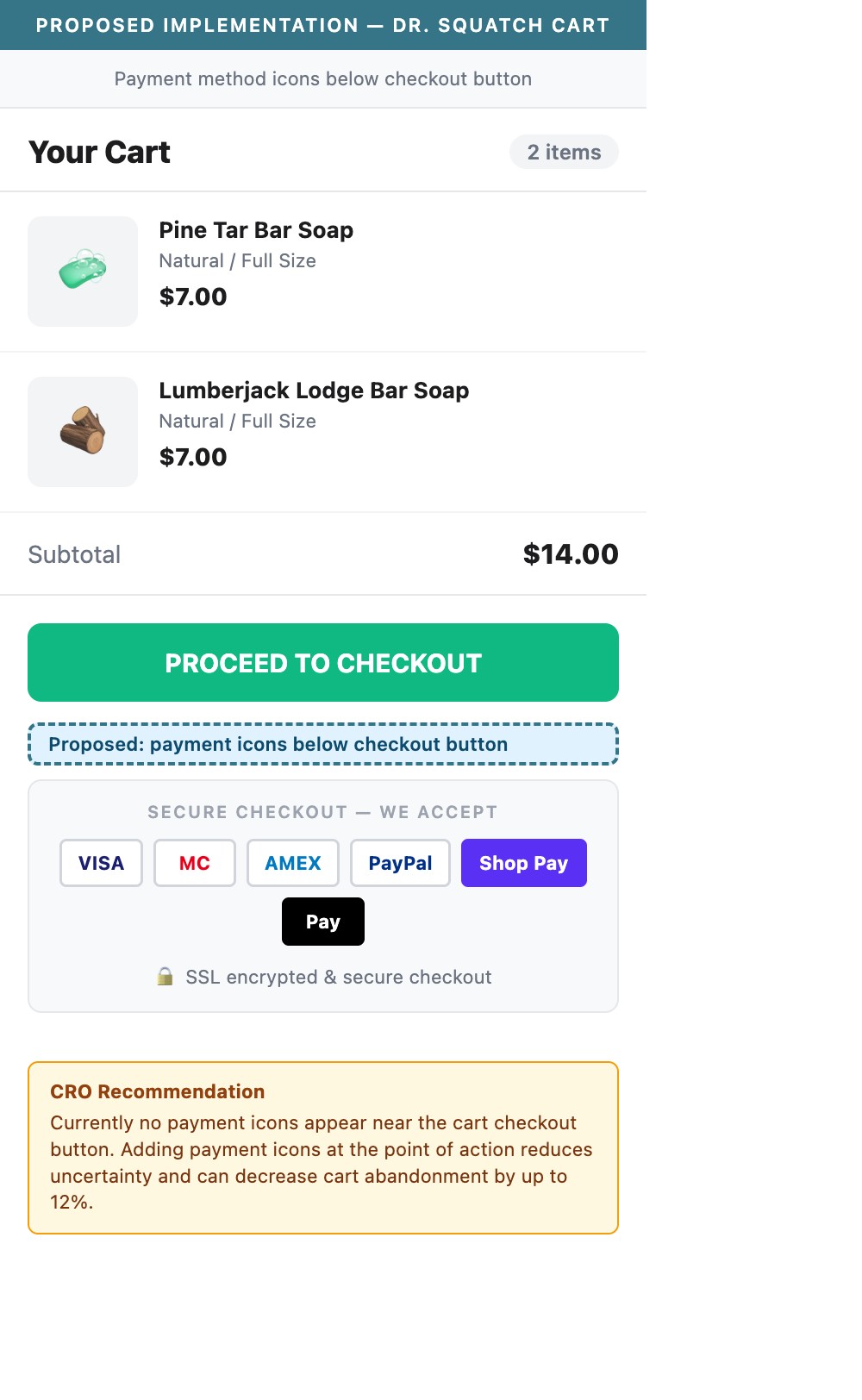
- Below the checkout button, only a '30 Day Sudisfaction Guarantee' badge appears — no payment method icons (Visa, Mastercard, PayPal, Shop Pay, Apple Pay) are shown
- First-time visitors are at their highest-intent moment in the cart — uncertainty about payment method acceptance at this point directly causes abandonment
- US benchmark: 8/10 top stores display a row of 5–7 payment icons directly below the checkout CTA in the cart
- Add a horizontal row of payment method icons (Visa, Mastercard, Amex, PayPal, Shop Pay, Apple Pay, Google Pay) directly below the 'PROCEED TO CHECKOUT' button
- Use grayscale or white icons on the light cart background — these should be recognizable but not visually competing with the primary CTA
- This is typically a single icon-set image file or SVG sprite — minimal development effort for a meaningful conversion trust signal
- The cart drawer shows shipping progress, item details, cross-sell, and checkout button — there is no coupon code field, discount code input, or 'Have a promo code?' accordion
- Dr. Squatch runs active email and SMS marketing via Klaviyo and Postscript — users who receive promo codes cannot apply them in the cart drawer
- Users with a coupon who can't find where to apply it will either abandon or proceed to checkout hoping to find the field there — both are friction points
- Standard Shopify checkout does have a discount field, but the cart drawer should also surface this to capture intent earlier in the flow
- Add a collapsible 'Have a promo code?' accordion or inline text input at the bottom of the cart drawer's item list section
- Validate and apply the discount in-drawer before checkout — show the crossed-out original price and new discounted total in real-time
- For Klaviyo/Postscript users: implement cart URL discount auto-application so email/SMS link recipients have codes applied automatically, removing the need to find the field
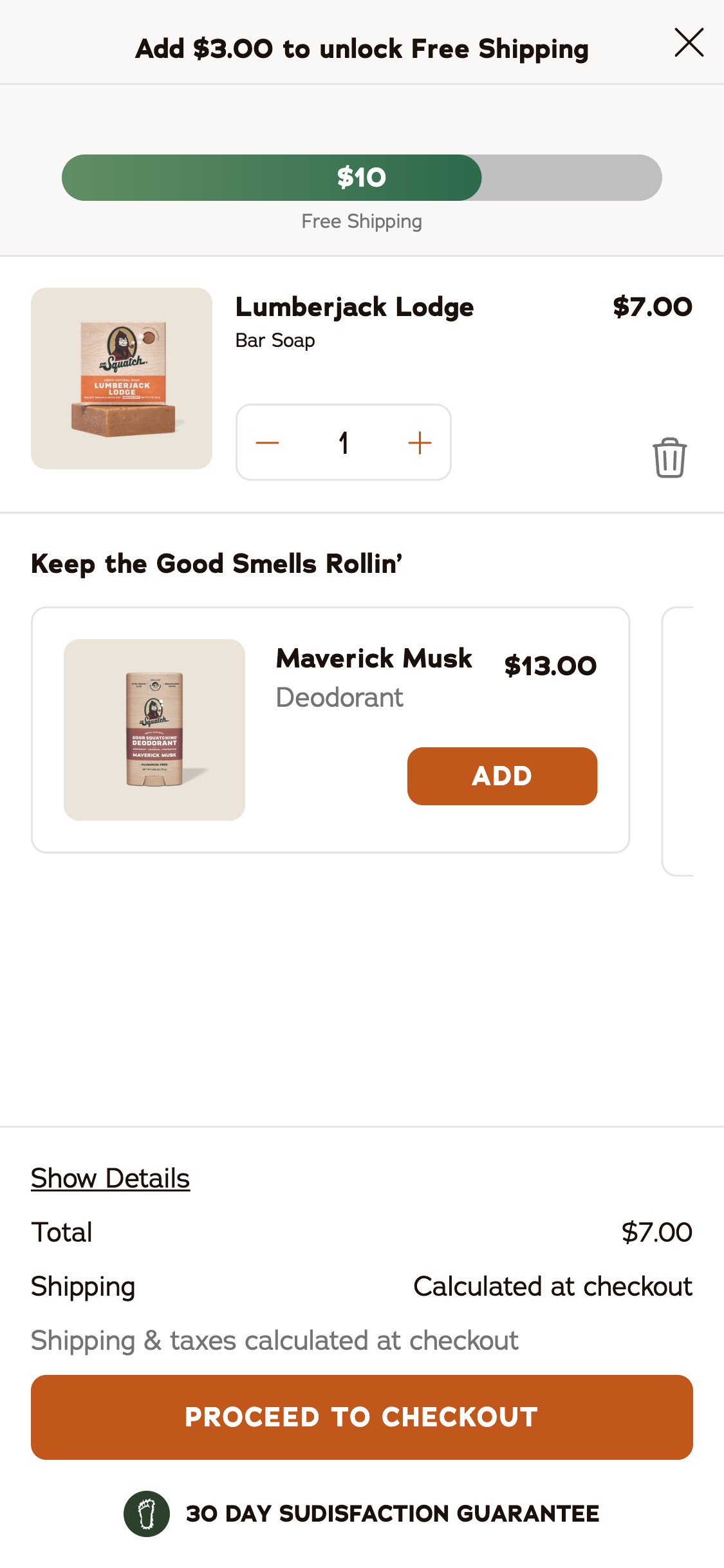
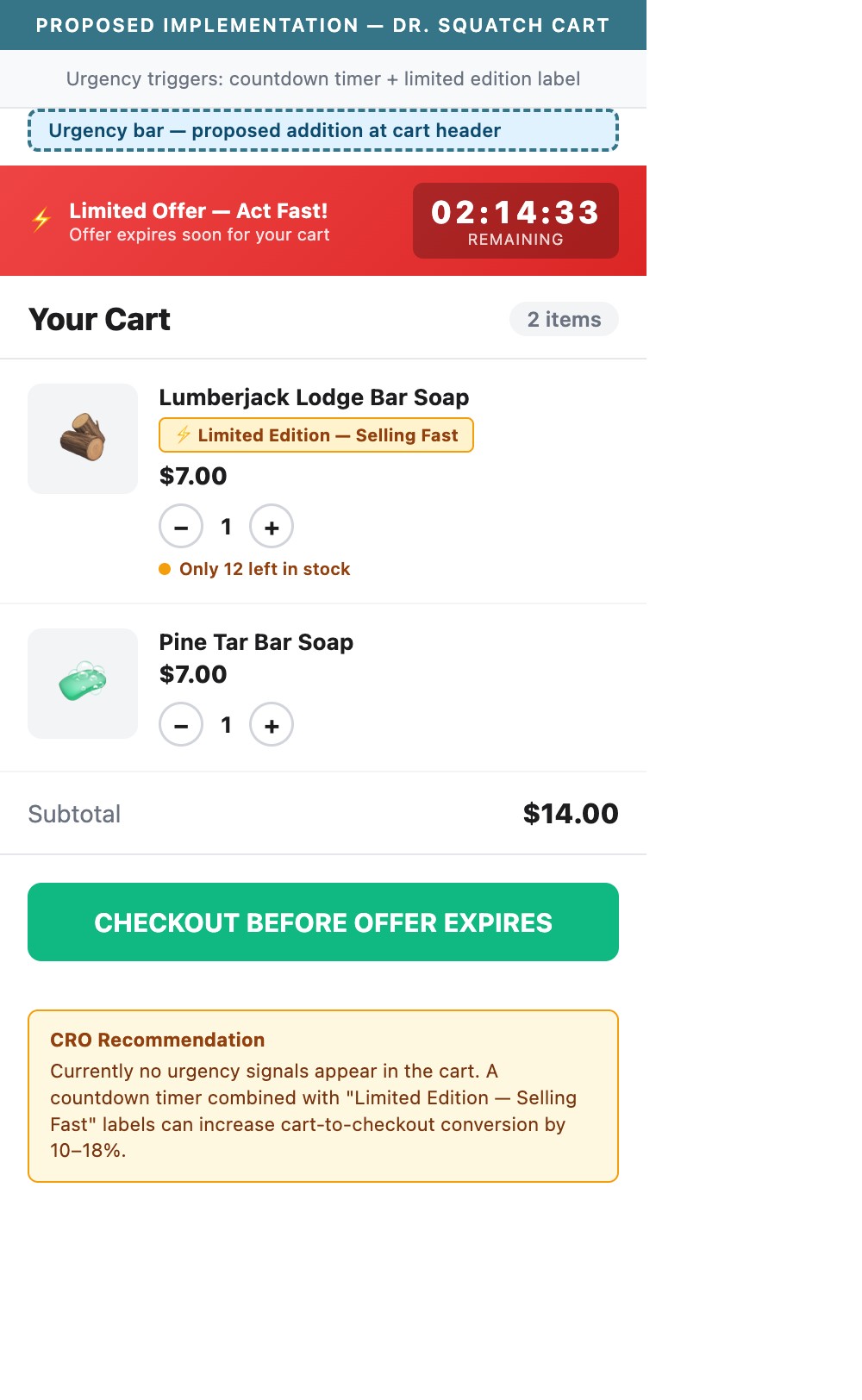
- The cart drawer displays the shipping progress bar, item list, cross-sell section, and total — no urgency indicators are present anywhere
- No 'Only X left in stock', no 'Offer expires in HH:MM:SS', no 'Items in cart are not reserved' copy appears anywhere in the cart
- For limited edition / special collaboration products (Star Wars, Dragon Ball Z, Stranger Things), low-stock urgency would be particularly effective and authentic
- Men's grooming benchmark: brands with active promotions use 'Sale ends Sunday' or 'Limited Edition — X remaining' copy to push cart-to-checkout conversion
- For limited edition products in cart: add 'Limited Edition — selling fast' or 'Only X left' label below the item name in the cart line item
- For active promotions (e.g. current SAVE 25% Subscribe promo): add a countdown timer in the cart header 'Offer ends in HH:MM:SS'
- For evergreen urgency: add 'Items in your cart are not reserved — complete your order to secure them' as micro-copy near the checkout button
App Ecosystem
What's installed vs what's missing from best-in-class Beauty & Personal Care stores
Present (8)
Missing (5)
App Stack Assessment
Dr. Squatch's app ecosystem reflects a subscription-first, retention-focused strategy — Klaviyo, Postscript, Loyalty, and a custom subscription flow are all mature. The gaps are primarily in top-of-funnel discovery (no search), PDP conversion (no cross-sell, no sticky ATC), and checkout trust (no express buttons, no payment icons). These missing apps represent quick-win revenue opportunities rather than foundational rebuilds.
Confidential — Prepared for Dr. Squatch by Growisto | May 2026